
Cyberopex

Building a SIEM for small and medium-sized enterprises - Part 3: Integrating IOC feeds into Elastic

Table of Content:

Part 3: Integrating IOC feeds into Elastic

In this article, we will show you how to integrate threat intelligence feeds into your SIEM system with Elastic to detect threats more efficiently. We explain the creation of indicator matching rules and the use of IOC feeds that enable proactive defense against cyberattacks.


What are Indicators of Compromise (IOCs)?

An Indicator of Compromise (IOC ) is a cyber security term used to describe signs or traces that indicate a possible security incident, an ongoing or past compromise of a system. These indicators are used to detect potential threats and respond to cyberattacks. These signs include, but are not limited to

  • File Hashes

  • Fully Qualified Domain Names (FQDNs)

  • IP addresses

  • URL reputation data

  • Common Vulnerabilities and Exposures (CVEs)

  • Process Hashes


IOCs are essential for Security Operations Centers (SOCs) to develop and maintain robust Cyber Threat Intelligence (CTI) capabilities.

Integration of IOC feeds in Elastic

The integration of the IOC feeds is quite simple. To have an overview of all TI connections, we recommend the "Threat Intelligence Utilities" integration, which offers a standardized dashboard that summarizes the feeds used. To name a few examples:

  • Abuse.ch

  • AlienVault OTX

  • Anomali Limo

  • Malware Bazaar

  • Malware Information Sharing Platform (MISP)
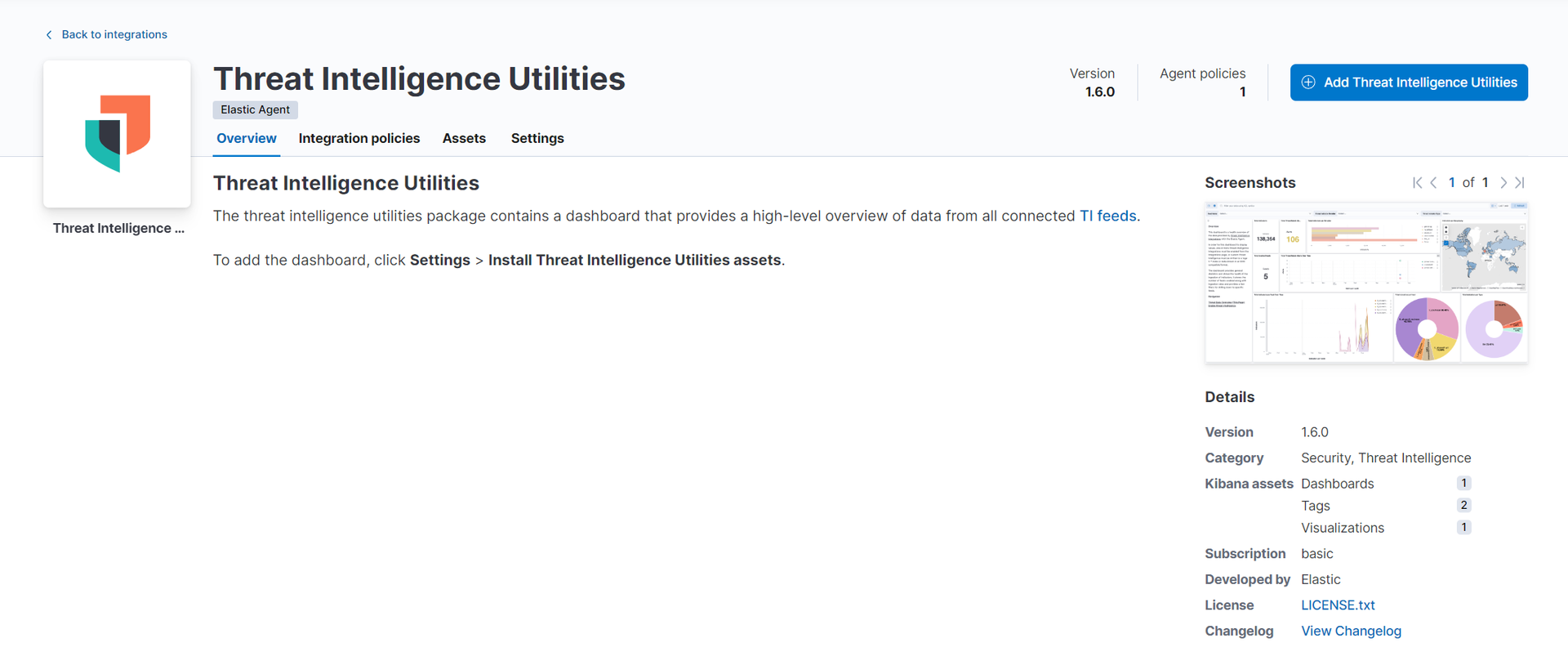
 

Abuse.ch as IOC feed

After adding the threat intelligence utilities, it's time for the next integration. Abuse.ch is a Swiss research project that combats online threats such as malware and botnets by collecting and sharing relevant data. Its main services include URLhaus, Feodo Tracker and SSL Blacklist, which are used to identify and block malicious URLs and suspicious SSL certificates.

Configuration of a mapping rule
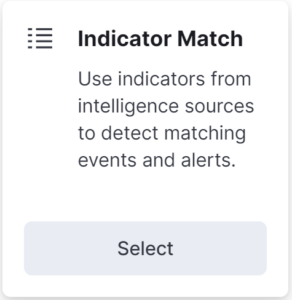
Indicator Matching Rule

As a further step, we compare the incoming data with our added IOC source and generate an alert if it finds a commonality. We achieve this by creating a new SIEM rule. It is important to use Indicator Match here.

As of version 7.10, Elastic supports the creation of "Indicator Match Rules". These rules generate alerts when field values in the Elasticsearch data match the patterns defined in the indicator indices. The use of ECS-compliant data delivers the best results for threat intelligence and critical infrastructure monitoring.

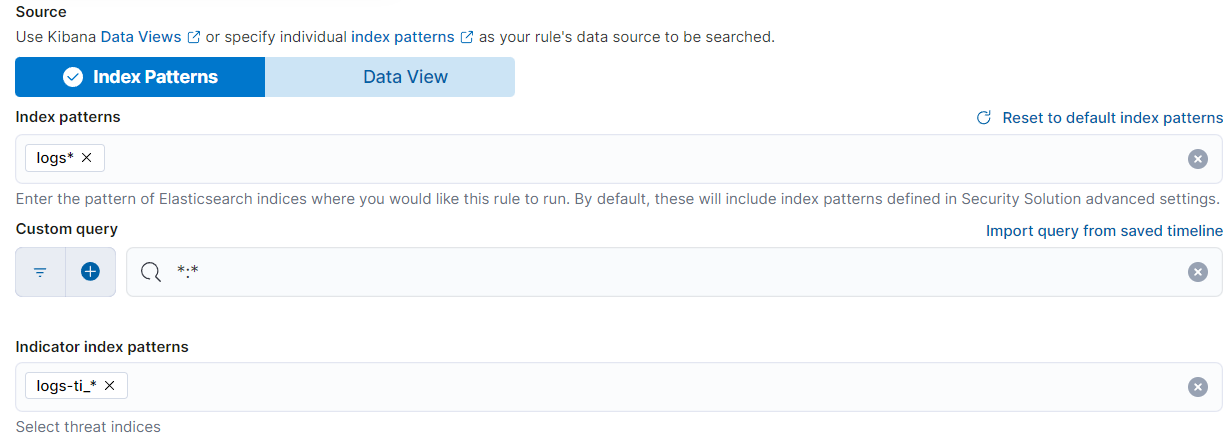
Index Pattern & Indicator Index Pattern

index patterns" is the index of the log data, whereas "indicator index patterns" refers to the index patterns of the IOC feed (this is "logs-ti_*" by default).
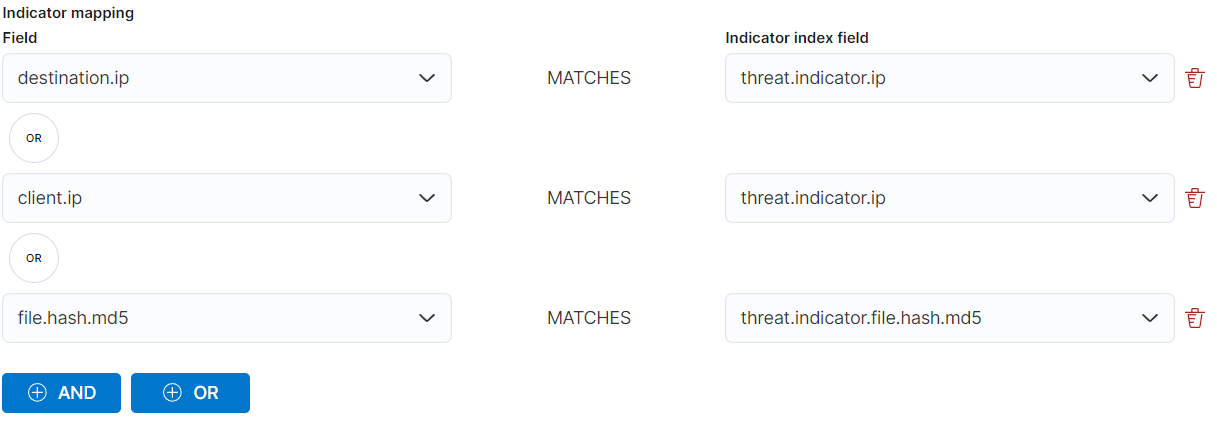
Now follow the comparison settings. Note that the log fields are on the left and the "threat.indicator" on the right. It is now possible for us to make a comparison with our data using all the fields provided by Threat Intelligence.
As a test to avoid connecting to a malicious IP address. Or even to download malware, there is the "Dev Tool" in Elastic. Here we can generate artificial logs.

				
					POST /logs-endpoint-protection/_doc
{
   "host": {
     "name": "fake-device",
     "description": "this device is just for testing reasons",
    "mac": "42:01:0a:84:00:3d",
    "ip": "10.1.1.56"

  },

"event" : {
"category": "file",
"type" : "creation"

  },
  "file" : {
    "hash": {
    "md5" : "59ce0baba11893f90527fc951ac69912"
    }
   }
}


After inserting this code, press the Play or Send icon in the top right-hand corner and you will receive a confirmation on the left-hand side of your browser. At the end an alert will pop up which is due to the previously created rule.

Conclusion - Part 3

In this article, we have examined the integration of IOC feeds in more detail. These allow us to identify potential threats at an early stage and react accordingly. The example presented has enabled us to create an effective rule that significantly improves our security infrastructure. This measure helps to optimize our defense mechanisms and further advance the entire security landscape. In this way, we are sustainably strengthening our resilience to cyber threats and improving our ability to respond to potential attacks.

FAQ

More about Elastic ELK and SIEM

What is ELK?

ELK stands for Elasticsearch, Logstash and Kibana - a combination of three open source tools that work together to provide a powerful solution for log management and data analysis.

What is Elasticsearch?

Elasticsearch is a distributed, RESTful search and analytics engine capable of processing and analyzing large amounts of data in real time.

How is ELK used in the context of SIEM?

In the context of SIEM, ELK is often used to collect, process and visualize log data, which facilitates security analyses and enables threats to be detected more quickly.

What is SIEM and how does it work?

SIEM (Security Information and Event Management) is a software solution that provides real-time monitoring, event logging, data correlation and alerting to improve network security.

Why is Elasticsearch used in SIEM systems?

Elasticsearch enables SIEM systems to efficiently index and search large volumes of security data, supporting rapid detection and response to security incidents.

HOW CAN WE HELP ?

Contact our experts at CYBEROPEX 

We look forward to your inquiry and will do our best to answer it promptly.